
Private, governed Salesforce AI running inside your browser.
Turn plain-English requests into permission-aware Salesforce plans you review before execution. Get traceable answers from live records without sending your data to an external AI provider.
AI runs in your browser · Respects Salesforce permissions · Every plan reviewable · Every interaction logged
Answers you can inspect before you trust.
No report to build and no hidden query to accept on faith. DeepCrux grounds each request in your Salesforce metadata, shows the exact plan for review, and executes only after you approve it.
One sidebar. Answers across your Salesforce org.
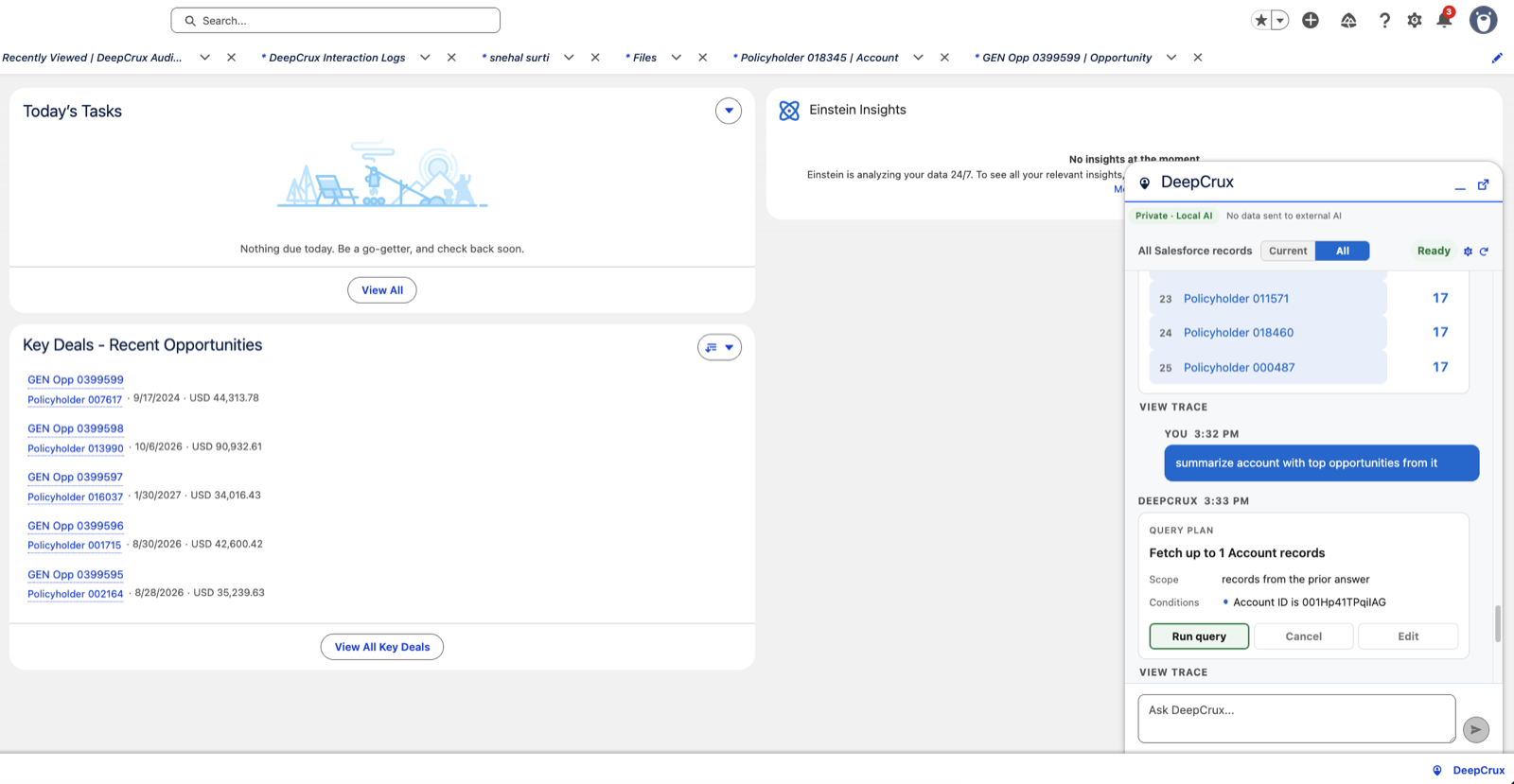

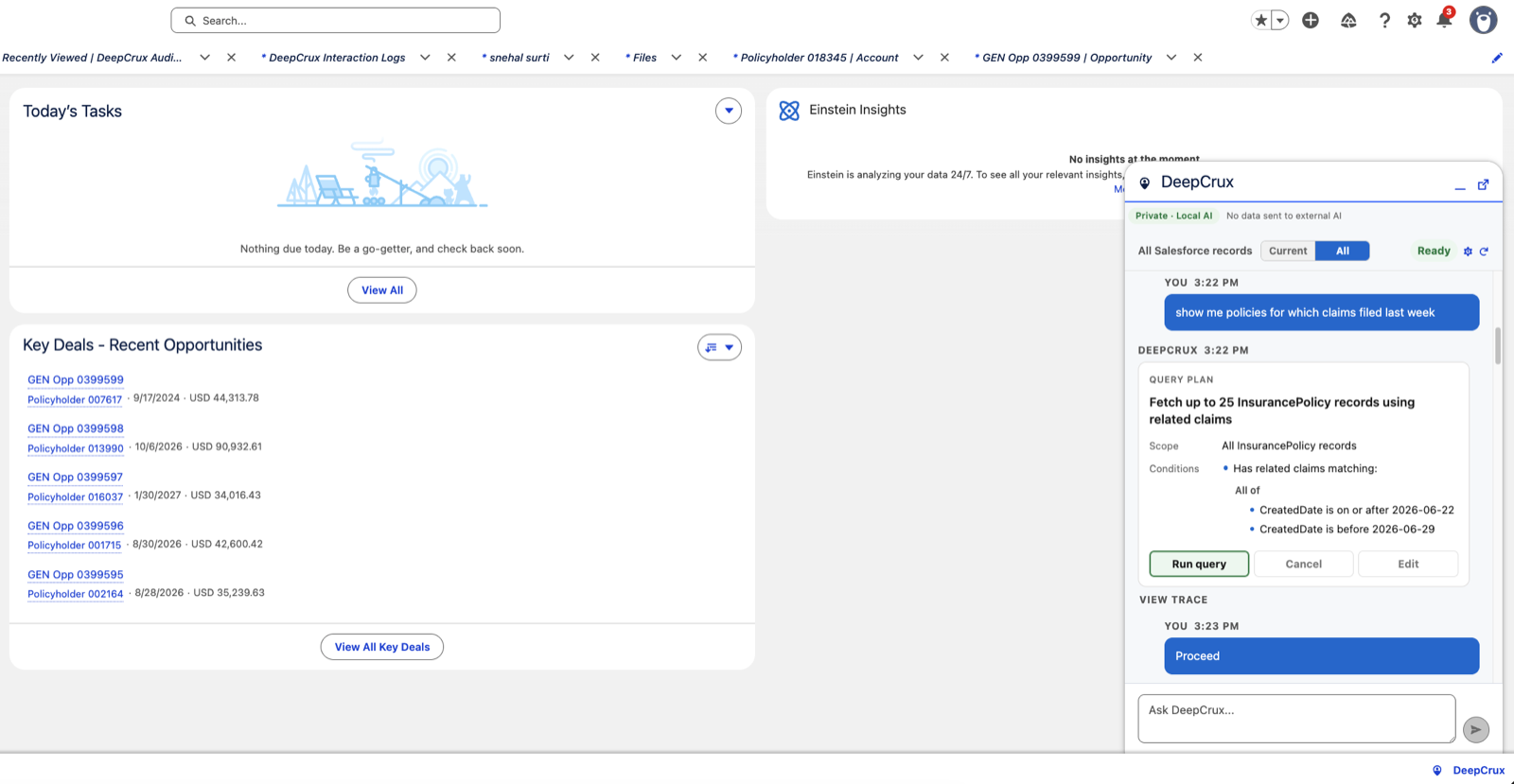
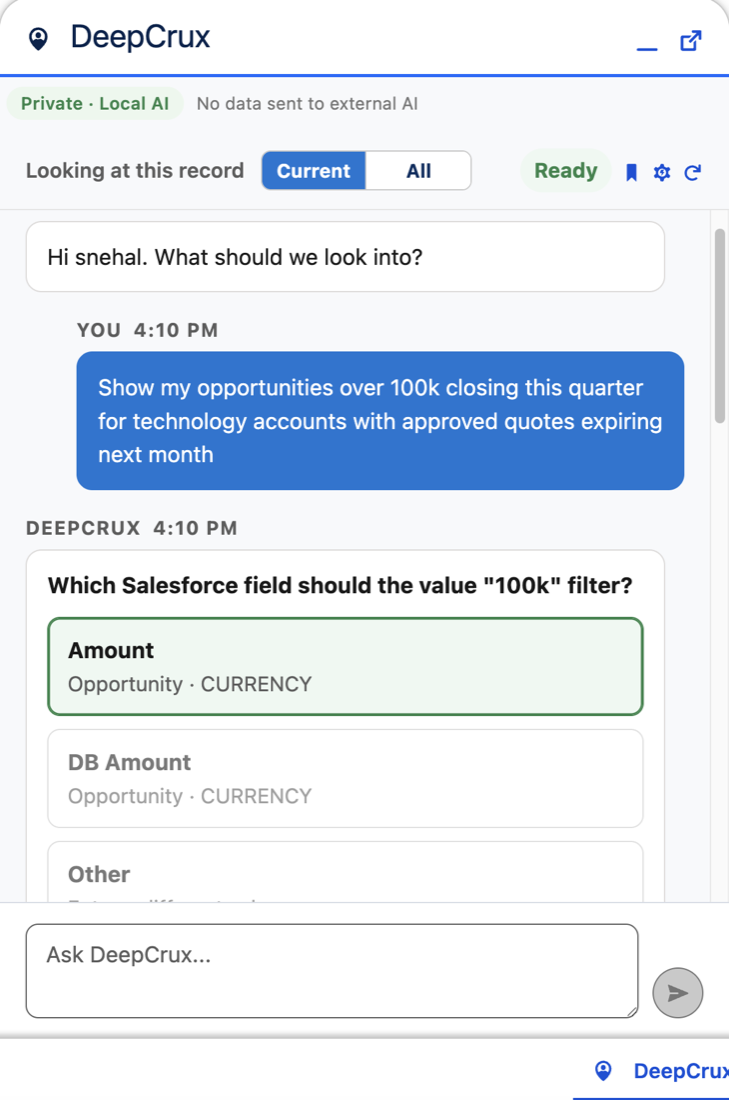

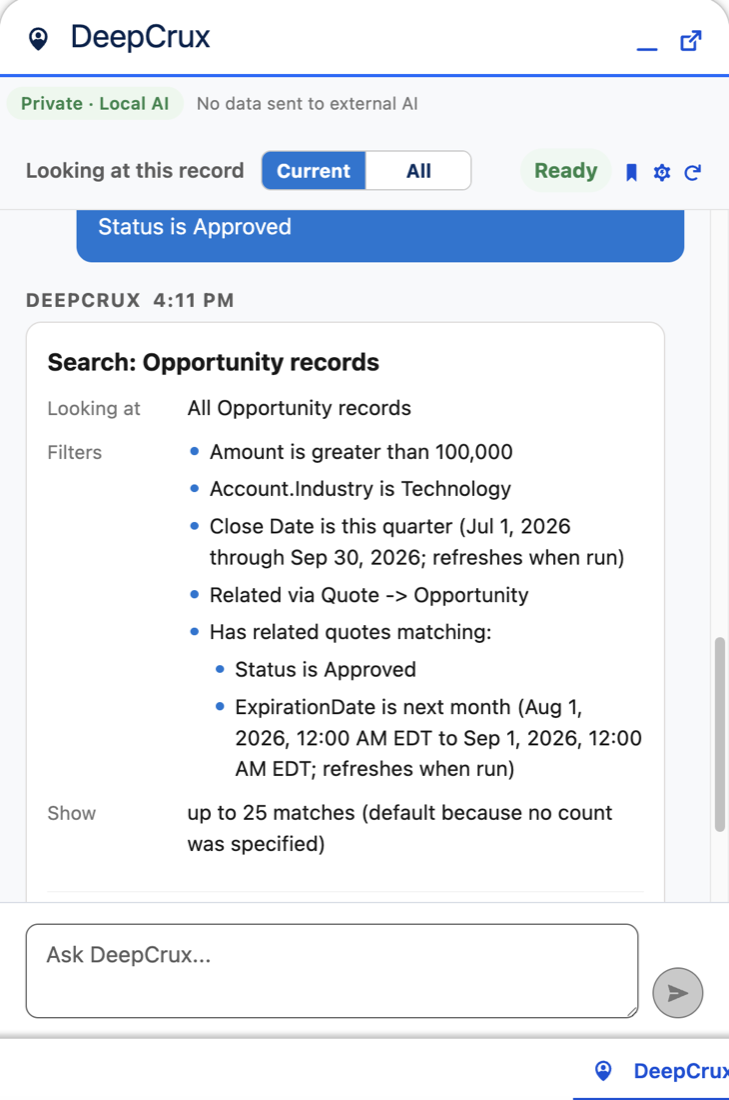
Ask for the breakdown. Skip the report.
Ask a question that normally takes a custom report. When a term is ambiguous, DeepCrux presents the metadata-valid choices from your org instead of silently choosing one.
Review the exact filters, relationships, time ranges, and sort order. Choose Run, Cancel, or Edit, then open the Salesforce records behind the answer.
Grounded in the Salesforce org you actually use.
DeepCrux works from your live metadata, validated relationships, permissions, and records—not a generic model's idea of Salesforce.
Answers without report building
Ask for records, counts, rankings, ranges, and summaries in the language your team already uses.
Review before it runs
Inspect and edit the complete plan before execution. DeepCrux does not hide the query behind the answer.
Click through to records
Every result links straight to the record in Salesforce — review it, then open it in one click.
Clarifies ambiguity
When more than one interpretation is valid, DeepCrux asks using your org's actual fields, values, and relationships.
Auditable and traceable
Every interaction is logged in your org with a full trace — downloadable for compliance.
Private by architecture
The language model runs on your device, inside your browser. Salesforce data is not sent to DeepCrux or a cloud AI model.
Your Salesforce data is not sent to a cloud AI.
A compact model runs on your device through WebGPU, directly inside the browser. Approved operations execute inside Salesforce under the current user's permissions.
No DeepCrux server is in the Salesforce query path. Interactions are logged in your own org for review and export. Privacy is part of the architecture, not a setting users have to remember.
From question to governed answer in three steps.
Add the Salesforce app and lightweight browser companion. Ask from any record or page, resolve only the ambiguities that matter, and review the complete plan before it runs.
Start with the business question, not a report builder or query language.
Review fields, filters, relationships, time ranges, and sorting before execution.
Open the live Salesforce records behind the result and inspect the interaction log.
Rerun approved plans without asking the model to reinterpret the request.
See what private, in-browser Salesforce AI can do.
Bring us the Salesforce question that costs your team the most time. We will show you how DeepCrux grounds it, plans it, and answers it.
Now accepting early-access design partners.
Show us the question your reports were not built for.
Tell us where your team loses time in Salesforce. We will walk through the use case and show the complete, reviewable workflow.
Prefer email? contactus@deepcrux.ai